Table of Contents (12 sections)
In the rapidly evolving landscape of retail, the integration of technology for smart shops has become essential for businesses looking to enhance customer experiences and streamline operations. As we embrace 2026, understanding how to select the right technological tools and solutions is vital for staying competitive.
1. Understand Your Business Needs
Before diving into technology options, take a step back to analyze your business requirements. What challenges are you currently facing? Are there specific areas where technology can boost efficiency, such as inventory management, customer engagement, or payment processing? For instance, if your store struggles with managing stock levels, consider investing in an automated inventory system. According to studies, retailers utilizing inventory management technology can reduce stock discrepancies by up to 30%, translating into improved sales and customer satisfaction.
Tips to consider:
- Conduct surveys with your staff to identify pain points in daily operations.
- Review sales data to highlight trends that could guide your tech choices.
💡 Expert Opinion: An industry expert noted, "Understanding your niche market is crucial. Different tools cater to various retail environments—what works for apparel may not suit grocery retail."
2. Research the Latest Technologies
With a clear understanding of your needs, the next step is extensive research on the latest technologies tailored for smart shops. Technologies like Point of Sale (POS) systems, customer relationship management (CRM) software, and data analytics tools can enhance operational functionality. For example, Square POS systems offer a user-friendly interface that is scalable, making them ideal for both small and large retail establishments.
Take advantage of industry reports and expert reviews from sources like Les Numériques or UFC-Que Choisir to identify top performers in the market.
3. Evaluate Compatibility and Integration
Once you have shortlisted potential technologies, it’s time to assess their compatibility with existing systems. A seamless integration can significantly influence the efficiency of your operations. For instance, if you choose a new CRM, ensure that it can sync seamlessly with your current POS system to avoid data silos.
- Check for APIs or built-in integrations that make interoperability easy.
- Ask vendors for case studies illustrating how their solutions integrated with other systems in real-world scenarios.
4. Prioritize User Experience
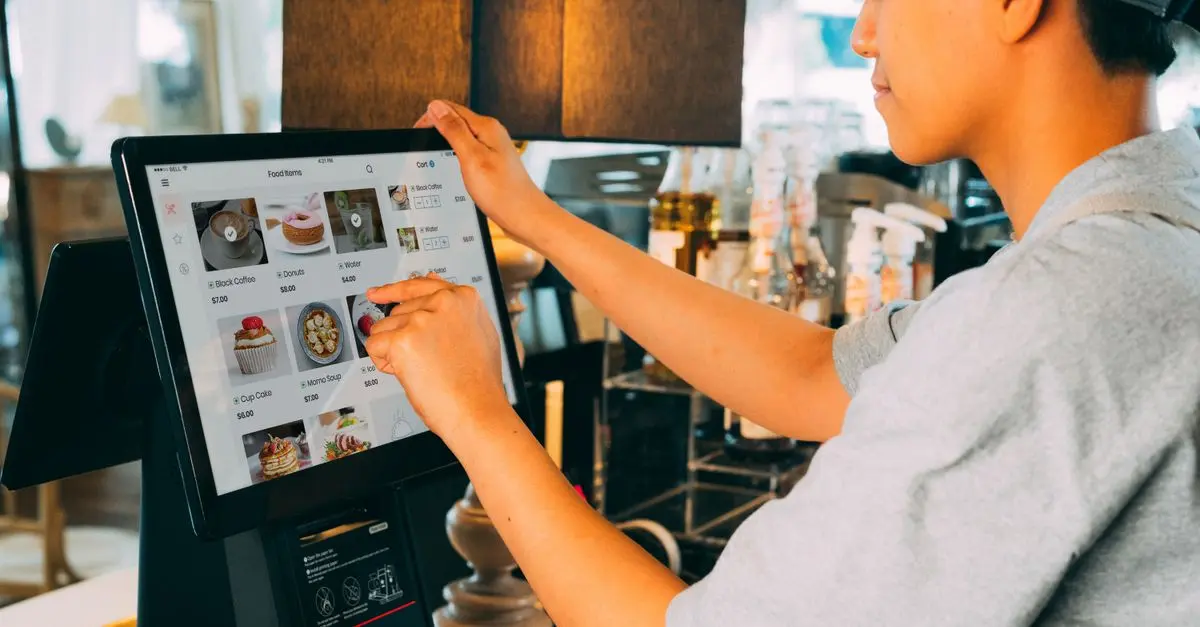
Any new technology should prioritize user experience—not only for your customers but also for your staff. Easy navigation and clear interfaces can reduce training time and improve adoption rates. For example, a user-friendly interface in a POS system can lead to faster checkout times, enhancing customer satisfaction.
Consider conducting usability testing with a select group of employees before full implementation. Gather feedback to ensure the chosen technology addresses real-world scenarios effectively.
Common Pitfalls:
- Overlooking the end user during the selection process.
- Implementing complex solutions that alienate staff.
5. Consider Total Cost of Ownership (TCO)
While evaluating technology options, consider the total cost of ownership rather than just upfront costs. TCO encompasses purchase price, maintenance fees, training costs, and potential future upgrades. Selecting a solution with a lower entrance fee can often lead to higher ongoing expenses, negating initial savings.
- Example: A cloud-based inventory solution may have a higher monthly fee but could save you on server maintenance over time.
- Request detailed pricing models from vendors to make informed projections.
6. Test Before You Invest
Before committing to a particular technology solution, it is crucial to test it in a real-world environment. Many vendors offer trial periods or demo versions of their products, which allow you to gauge functionality and reliability in your store's unique context.
Checklist for Testing:
- User Interface: Is it intuitive for your team?
- Performance: Does it handle peak hours without lag?
- Customer Feedback: How do customers respond to new checkout systems or engagement technologies?
7. Seek Feedback and Make Adjustments
Once you've implemented new technology, the journey does not end. Continuous feedback is necessary to ensure systems work as intended. Schedule regular check-ins with both employees and customers to assess performance and grow through shared insights.
📺 For further knowledge:
Technology in Retail: How to Stay Ahead of the Curve is a comprehensive analysis of modern technology solutions for retail environments. Search YouTube for: "modern retail technology solutions 2026".
Conclusion
Choosing the right technology for smart shops involves careful planning, research, and execution. By following these structured steps, you can enhance operational efficiency and create a more engaging customer experience. With proper integration and ongoing evaluation, your smart shop can remain competitive in the dynamic retail landscape of 2026.
Checklist before purchase
- [ ] Identify business needs clearly.
- [ ] Research latest technology options thoroughly.
- [ ] Evaluate system compatibility for current technologies.
- [ ] Prioritize user experience for staff and customers.
- [ ] Factor in total cost of ownership.
Glossary
| Term | Definition |
|---|---|
| Point of Sale (POS) | A system for processing sales transactions, including hardware and software. |
| Customer Relationship Management (CRM) | A technology for managing a company’s interactions with current and potential customers. |
| Total Cost of Ownership (TCO) | The purchase price of an asset plus the costs of operation, maintenance, and upgrades. |
---